Campaign Spotlight: Town of Granite Falls | NC
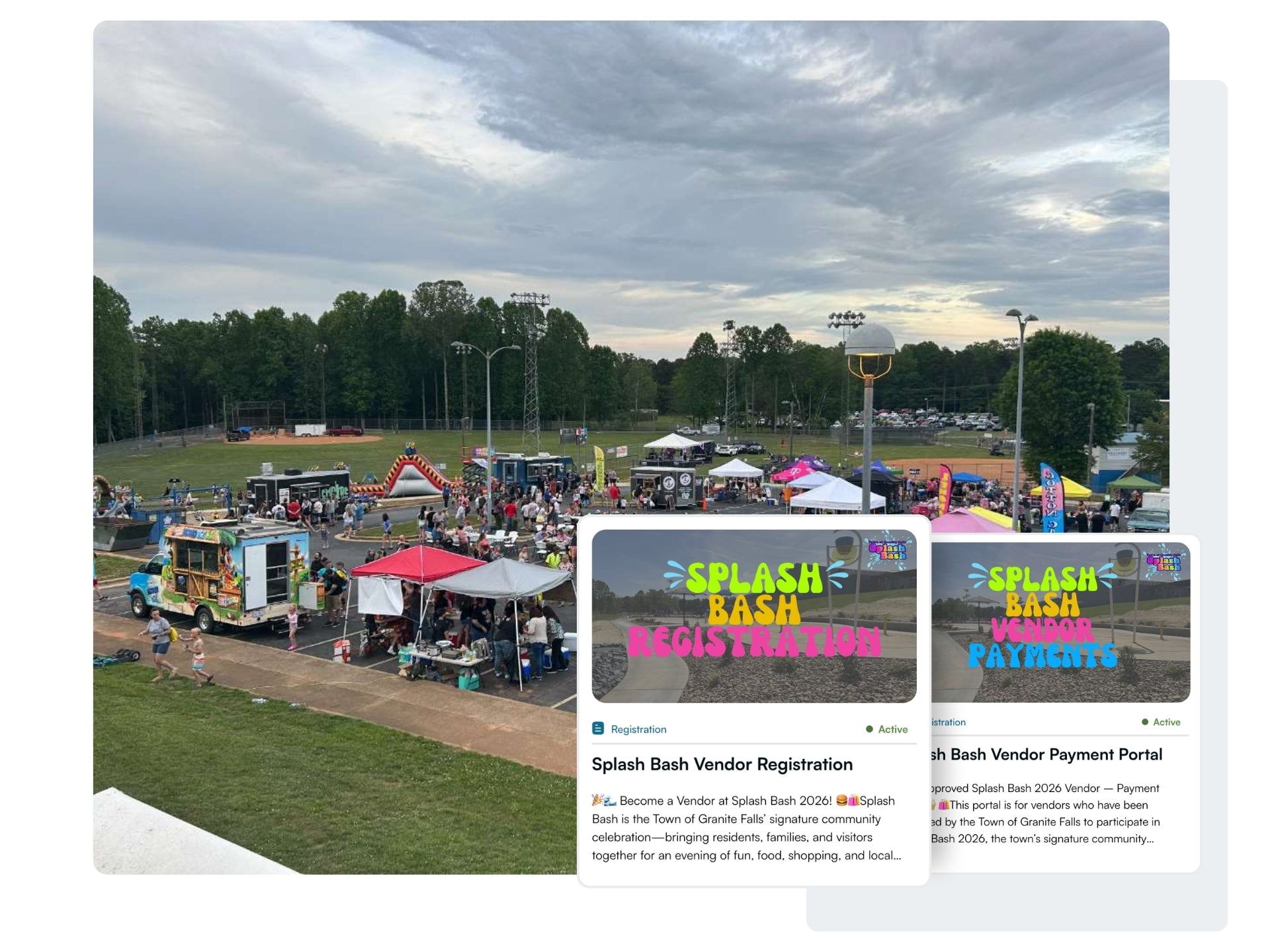
Splash Bash Vendor Registration and Vendor Payment Portal


 Community Sign-Ups
Simplify sign-ups for community programs, activities, classes, contests, and events
 Fundraisers
Collect donations and rally support for the projects and causes that matter most
 Vendor Registrations
Recruit, approve, and manage vendors for markets, festivals, and community events
 Ticketing
Sell tickets online and manage event attendance with a simple, seamless experience
 Sponsorships
Offer a professional sponsorship experience that drives more funding
 Interactive Tours
Create digital experiences that highlight landmarks, public art, local businesses, and more
 Volunteer Events
Organize, promote, and manage volunteer opportunities with ease
 Memorial Programs
Streamline your memorial programs and give every dedication a lasting legacy
Learn how your community benefits from SeeMyLegacy
Bring a better engagement experience to your community.
View pricing Municipalities
For parks & rec, community development, city administrators, and event teams
 Local Organizations
For main streets, downtown partnerships, chambers of commerce, tourism agencies, development districts, and more
 Parks
Parks
For park systems and districts, friends groups, and supporting foundations

Explore how our customers are driving engagement & fundraising in their communities. Get inspired →
 Community Ideas | Live Examples
Explore events and programs other communities are running and bring them to yours.
 Customer Success Stories
Read how other admins are using the platform to drive impact.
 Templates + Guides
A central library of articles, guides, and ideas to get you inspired.
 Promotion Center
Learn how to get the word out, promote your campaigns, and drive results.


Trending Services
Campaign Spotlight: Town of Granite Falls | NC


See how the Town of Granite Falls structured their two-step vendor registration process:
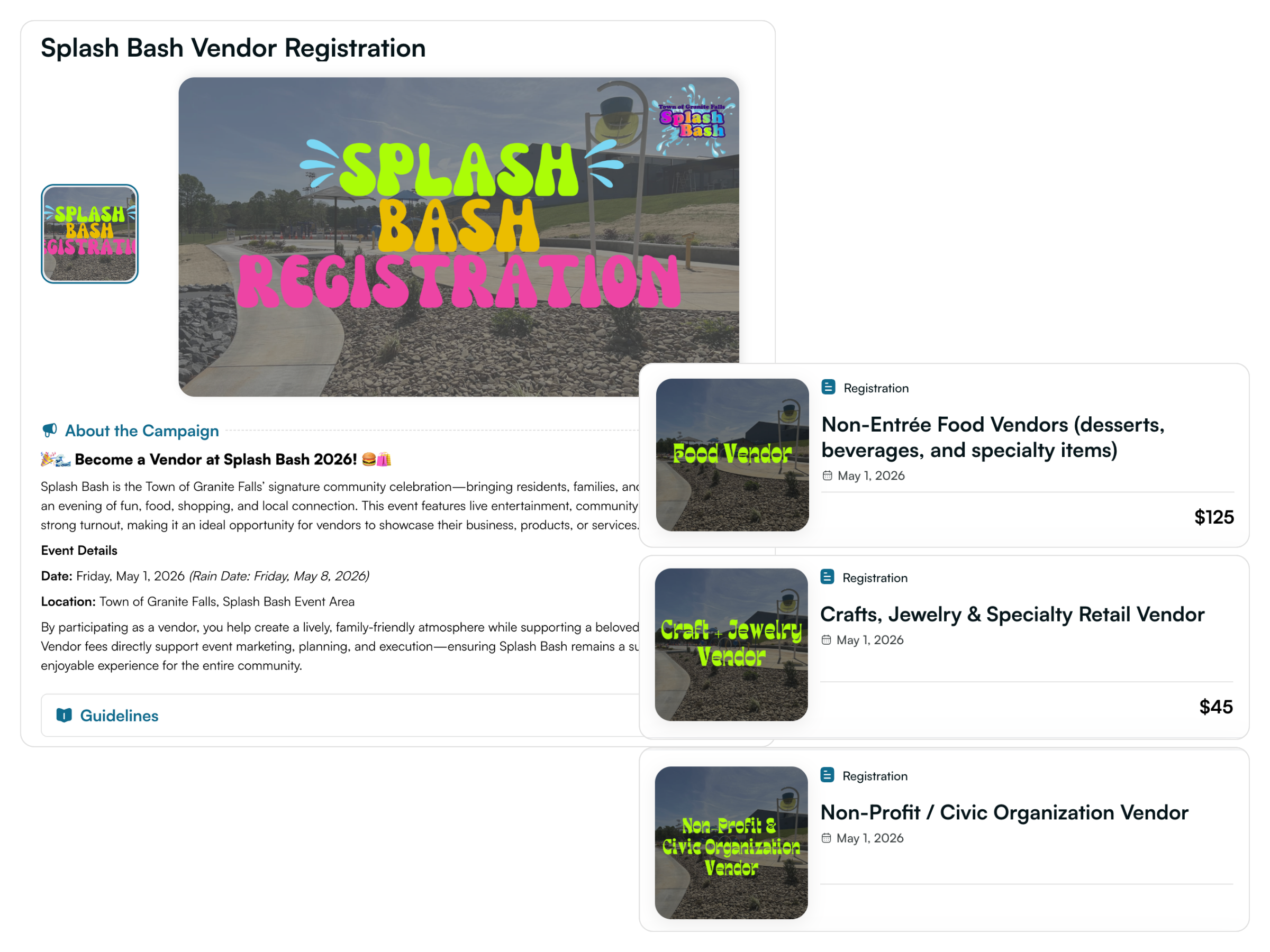
The community launched a public vendor registration campaign to announce the opportunity and invite vendors to apply. This page served as the central place where vendors could learn about the event, review expectations, and submit their applications.
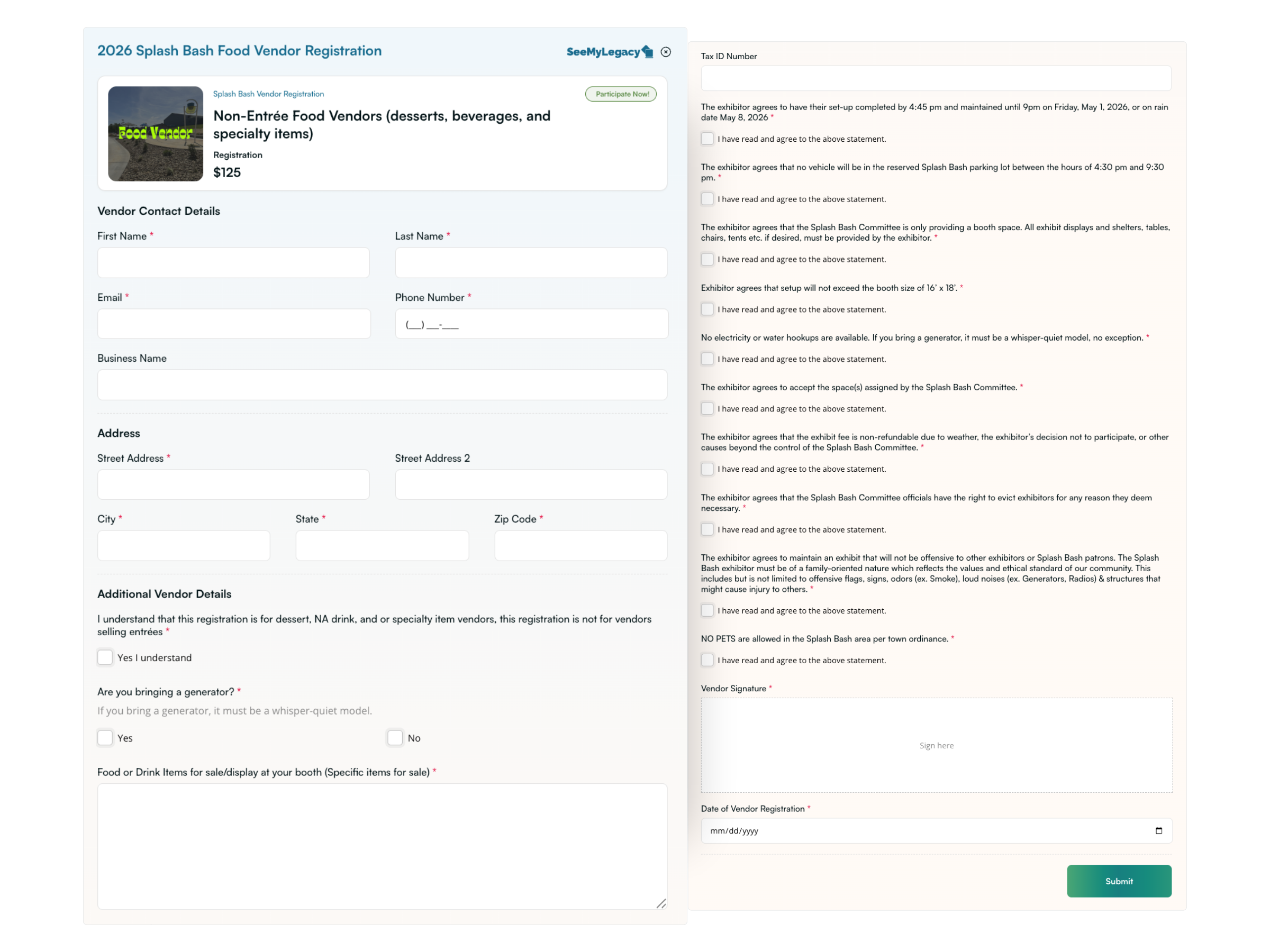
Custom forms allowed the organizers to gather all required information during the application process, helping them properly review vendors before approval.
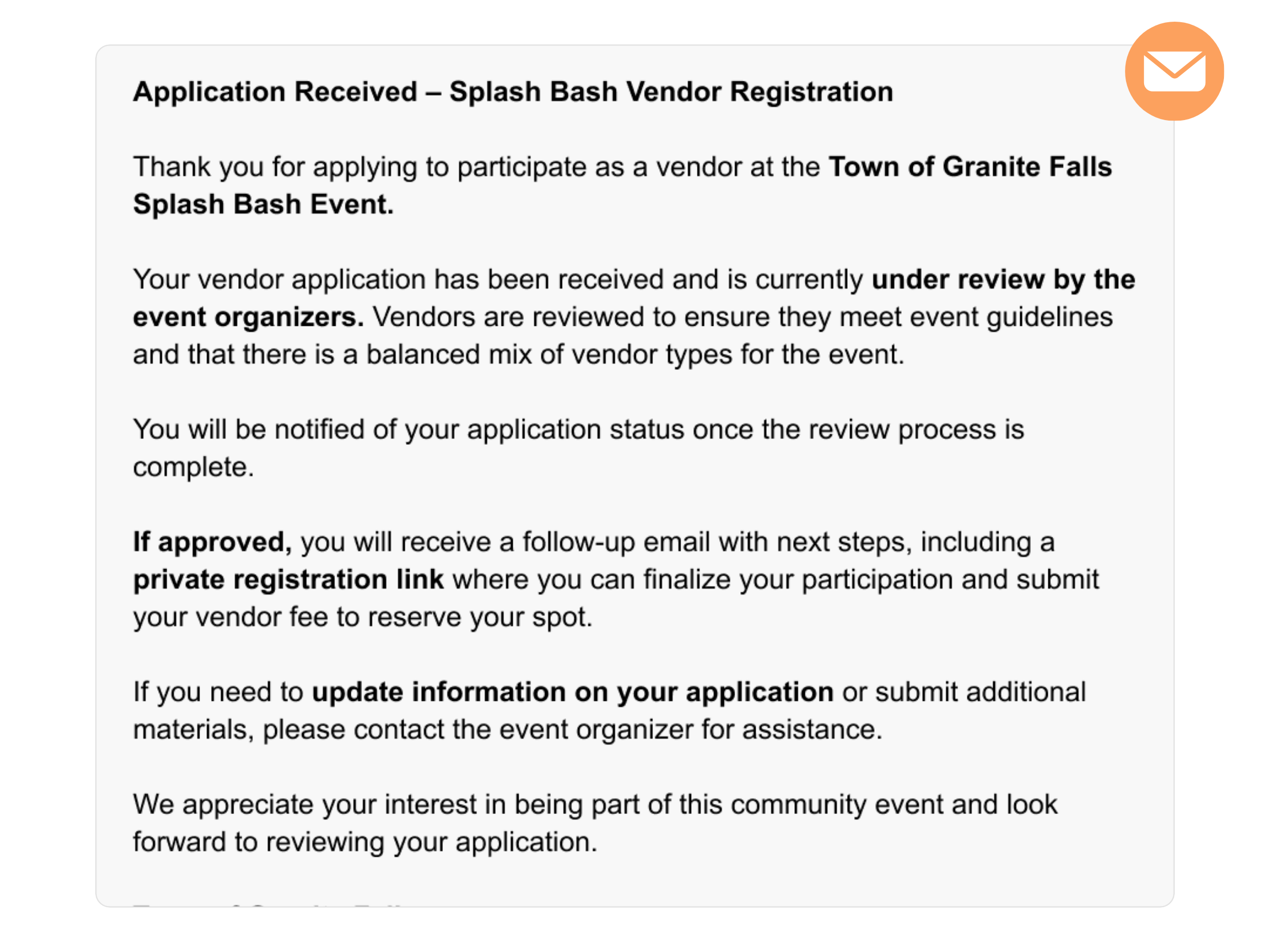
After vendors submitted their application, they received an automatic follow-up message explaining what would happen next and how the approval process worked.
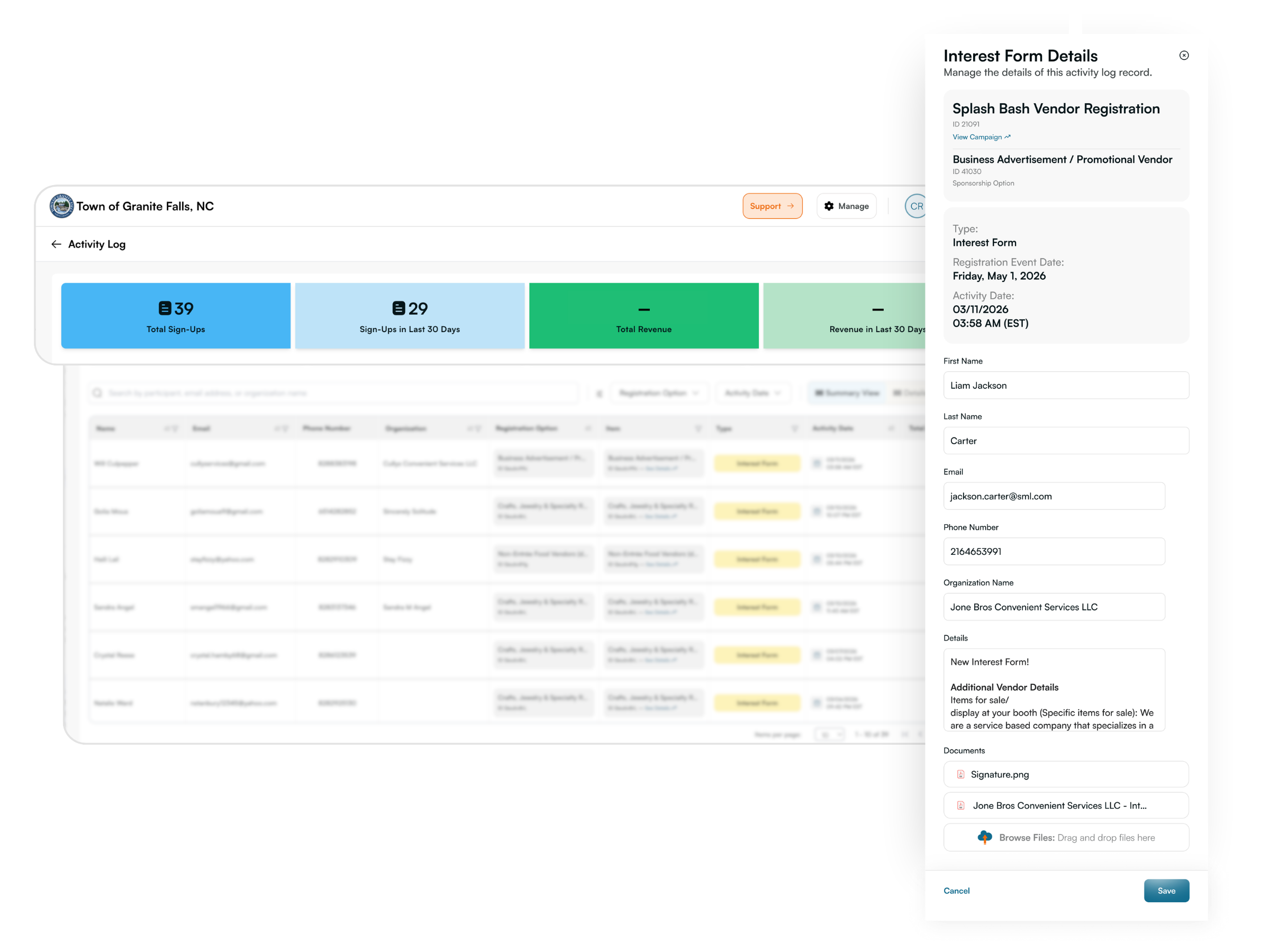
Organizers reviewed vendor submissions directly from the campaign activity log, allowing them to track applications and manage approvals in one place.
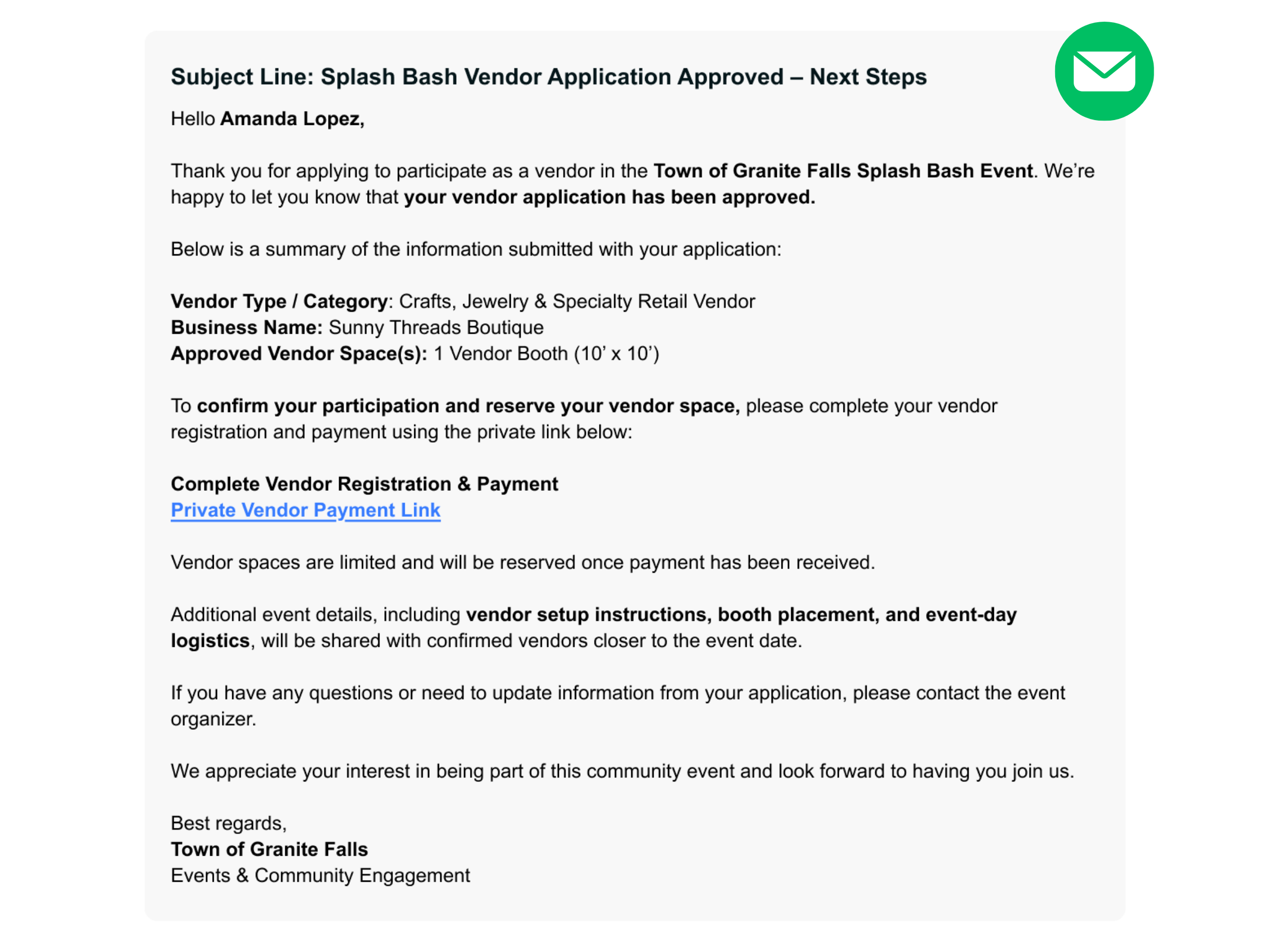
Once vendors were approved, organizers sent a quick email letting them know they were accepted and providing the link to complete their vendor registration.
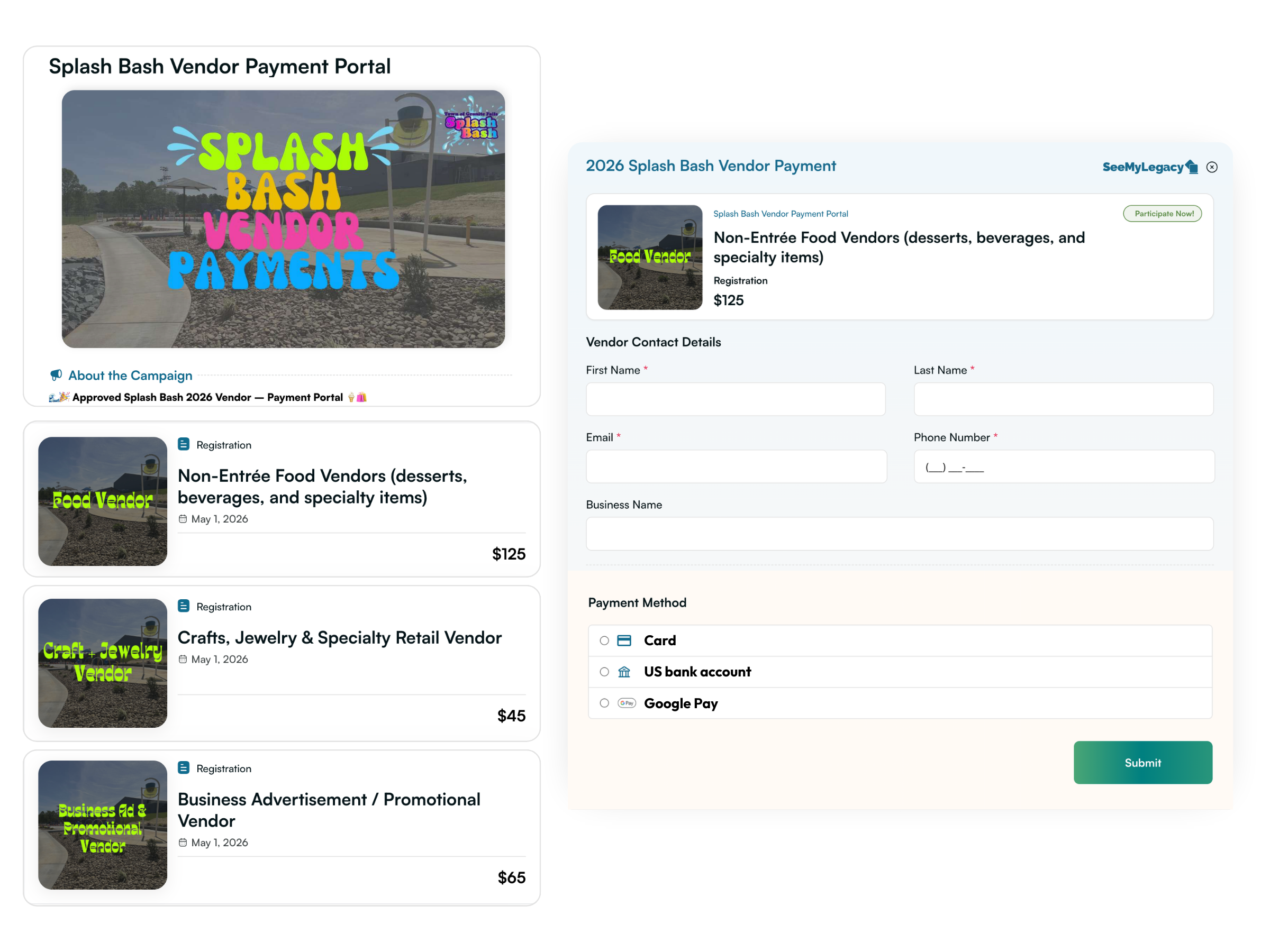
Approved vendors were directed to a private campaign page where they could complete payment and finalize their participation without repeating their application information.
✪ Saved staff time by replacing manual sign-ups and disorganized spreadsheets
✪ Streamlined approval-to-payment process that keeps vendor registration organized, secure, and easy to manage
✪ Removed complexity and improved the sign-up process for participants
✪ Reached a broader audience with better promotion tools
✪ Collected complete participant details, waivers, and payments upfront
✪ Created lasting community connections through thoughtful programming
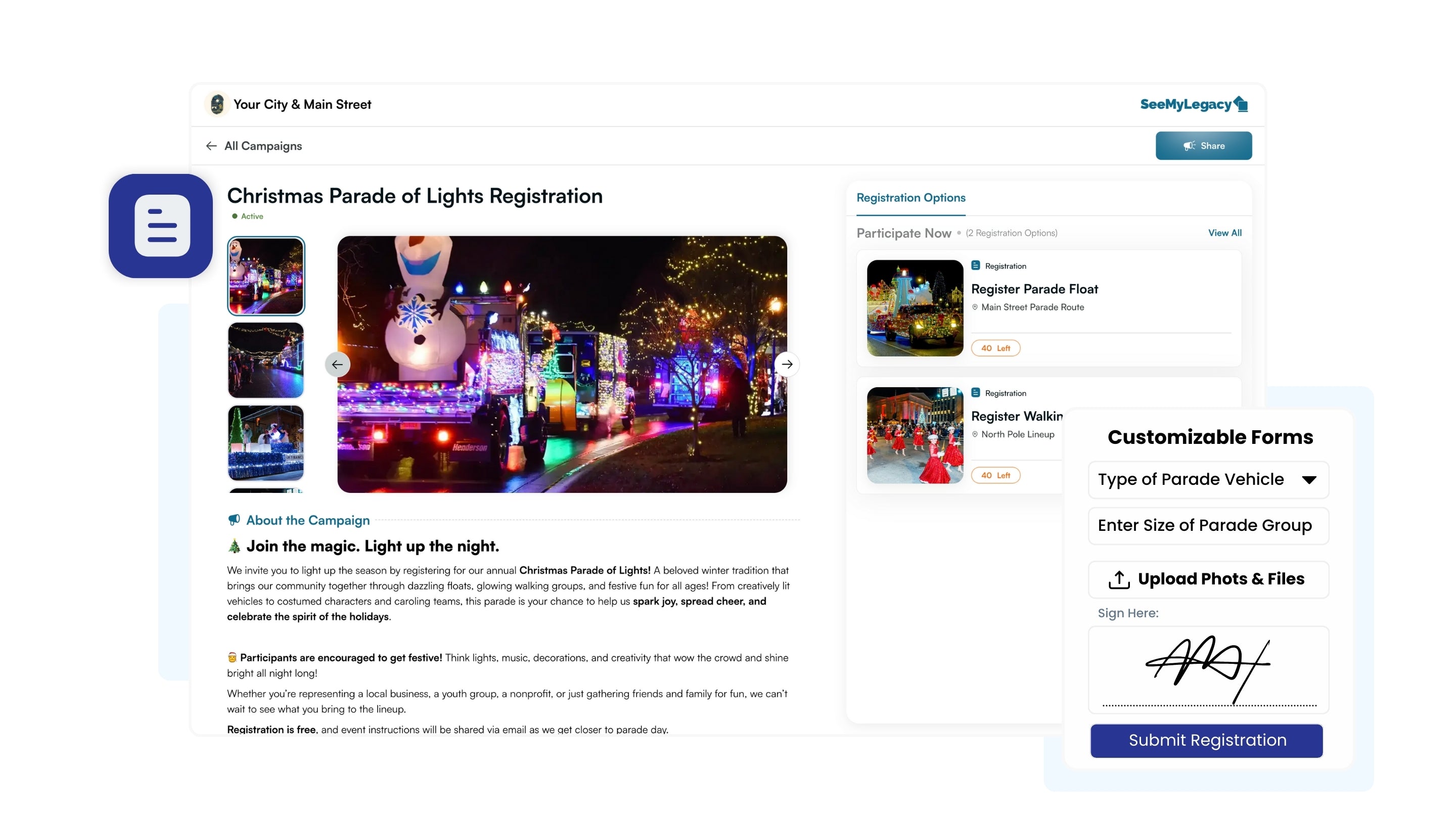
Organize your next initiative with SeeMyLegacy’s purpose-built registration tools. Save staff headaches with a streamlined application and payment process, and increase participation with simple sign-up forms designed for communities.

Payment Processing
Accept online payments, log offline registrations, and automatically send confirmations to participants with no extra work.

Customizable Registration Forms
Capture required information like vendor details, file uploads, signatures, and custom selections, all in one simple form with no account creation required.

Promotional Tools
Promote community initiatives with shareable links, QR codes, and embeddable widgets that work across your website, email, and social channels.

Participant Tracking + Management
Keep your initiatives running smoothly with an interactive participant list, making it easy to coordinate check-ins, review registration details, and report on participation.
Subject: {EVENT NAME} Vendor Application Approved – Next Steps
Hello {Vendor Name},
Thank you for applying to participate as a vendor in the {Event Name} hosted by {Organization / City Name}. We’re happy to let you know that your vendor application has been approved.
Below is a summary of the information submitted with your application:
Vendor Type / Category: {Vendor Category}
Business Name: {Business Name}
Approved Vendor Space(s): {Number of Vendor Spaces}
To confirm your participation and reserve your vendor space, please complete your vendor registration and payment using the private link below:
Complete Vendor Registration & Payment
{Private Vendor Payment Link}
Vendor spaces are limited and will be reserved once payment has been received.
Additional event details, including vendor setup instructions, booth placement, arrival times, and event-day logistics, will be shared with confirmed vendors closer to the event date.
If you have any questions or need to update information from your application, please contact {Organizer Contact Email or Phone}.
We appreciate your interest in being part of this community event and look forward to having you join us.
Best regards,
{Organization / City Name}
{Department / Event Team Name}